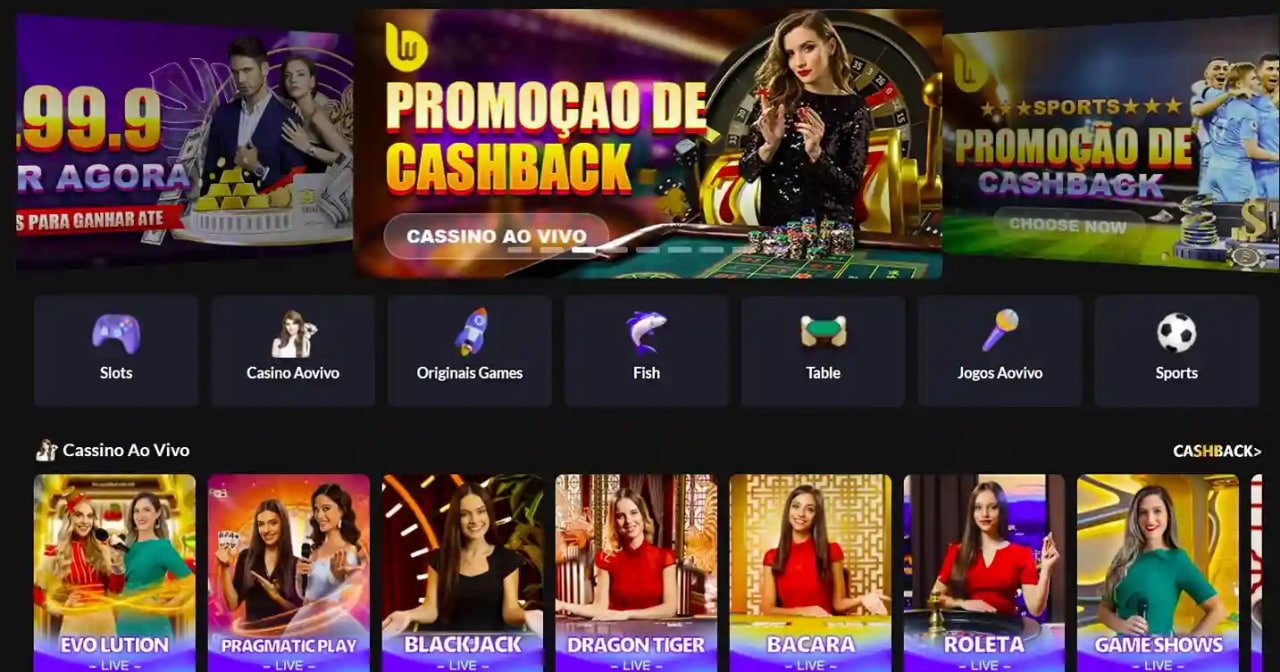
With the GTG99 mobile app, slots, fish games, Live Casino, and all your favorite games are right in your pocket. Easy to install on both Android and iOS.
As online gaming continues to grow in popularity across Bangladesh, more and more players want a seamless mobile experience. GTG99 gets that. That's why the GTG99 mobile app isn't just a scaled-down version of the website — it's been built from the ground up specifically for mobile.
The moment you open the app, the speed speaks for itself. Load times are just a few seconds, the interface is intuitive, and finding any game is effortless. Logging into the GTG99 app gives you access to all the same games, bonus offers, and VIP perks as the website — no compromises.
Many mobile apps leave out certain games, but that's not the case with GTG99. Slots, fish games, Live Casino — everything works fully in the app. Even real-time games with live dealers run seamlessly on mobile.
What you get with the GTG99 app
The GTG99 app is lightweight but never compromises on performance. Games run smoothly even on low-RAM devices, with no screen freezes.
Your account and financial information are fully protected through SSL encryption and two-factor authentication.
New bonuses, special offers, and tournament updates will be delivered straight to your phone. Never miss an opportunity.
BKash, Nagad, Rocket, and all other popular payment methods are available directly in the app. Complete transactions in just a few taps.
The GTG99 app includes a dark theme to keep your eyes comfortable. Play late into the night without the strain.
24/7 live chat is built right into the app. Get instant help from the GTG99 support team whenever you need it.
Install the app in just a few easy steps
GTG99's Download page open it and download the Android APK file.
Go to Settings > Security > Unknown Sources and turn it on. This allows APK files to be installed.
Tap the downloaded GTG99 APK file and press the "Install" button.
Once installation is complete, open the GTG99 app, log in, and start playing your favorite games.
Open Safari on your iPhone and go to the GTG99 Download pageGo to
Tap the Share icon at the bottom, then select "Add to Home Screen".
Enter "GTG99" as the name and tap "Add". The app will be added to your home screen.
Tap the GTG99 icon on your home screen and enjoy a full native app experience.
Requirements to run the GTG99 app
| Subject | Minimum | Recommended |
|---|---|---|
| Android Version | 5.0 (Lollipop) | 9.0+ |
| RAM | 2 GB | 4 GB+ |
| Storage | 35 MB free | 100 MB+ |
| Internet | 3G | 4G/WiFi |
| Processor | Quad-core 1.4GHz | Octa-core 2GHz+ |
| Subject | Minimum | Recommended |
|---|---|---|
| IOS Version | 12.0 | 15.0+ |
| Device | IPhone 6s | IPhone 11+ |
| Storage | 50 MB free | 100 MB+ |
| Internet | 3G | 4G/WiFi |
| Safari | Latest Version | Latest Version |
Almost every first-time GTG99 app user notices one thing right away — how smooth it runs. Most mobile gaming apps take multiple attempts to load, freeze up, or crash mid-game. On GTG99, those issues are rarely a concern.
Live Casino dealer video streams come through crisp and lag-free on mobile. Fish Game graphics look great even on smaller screens. Slots are specially optimized for touch screens, making every spin feel satisfying at your fingertips.
One great advantage of the GTG99 app is that you can log in with the same account you use on the website. Your balance, points, and bonuses are all synced. Switch from desktop to mobile mid-session and nothing is lost.
The GTG99 app also features auto-login. Once you've logged in, you won't need to enter your password again next time — just jump straight into the game. It's a small thing, but it saves real time for daily players.
Everything you want to know about the GTG99 mobile app
Stay in control of your time and budget while using the GTG99 app. Gaming is for entertainment, not addiction. Our Responsible Gaming Visit our responsible gaming page to learn about healthy gaming habits.